
How to Search Cases by Name
For a free look at Rusk County district filings, the best public route is iDocket Search by Name. The Rusk County District Clerk links directly to it. Pick Texas, pick Rusk County, and type the litigant's last and first name. Partial spellings work too. A fuller name simply trims a long list of matches.
- Confirm that the matter belongs in District Court rather than a municipal, justice, or county court.
- Select Texas and Rusk County in the free name-search tab.
- Enter the least amount of personal data needed, beginning with the name.
- Review court, category, and filing details before assuming a match.
- Contact the responsible clerk for current status or a certified record.
| Field | Access | Use |
|---|---|---|
| State | Free name search | Select Texas |
| County | Free name search | Select Rusk after state |
| Litigant | Free name search | Last and first name; partial names accepted |
| Category, court, dates | Subscriber advanced search | Narrow results when access permits |
iDocket Has a Boundary
iDocket splits its free tools from its paid tiers. Anyone can run a name search for free. The help page lists two other options. These are Display Case and Advanced Search, and both are subscriber-only. Display Case takes a case number. Advanced Search opens fields for category, case type, court, litigant, attorney, filing date, and disposition date. The index shows what has been filed and made available. It is not a promise of a complete free image file. The official iDocket help page lays out the Search by Name, Display Case, and Advanced Search distinctions.

That tier line explains a common confusion. A name search may hand you an index clue, yet typing a case number into Display Case asks for a paid account. The public county filing index also shows how choosing Rusk leads into the local result table.
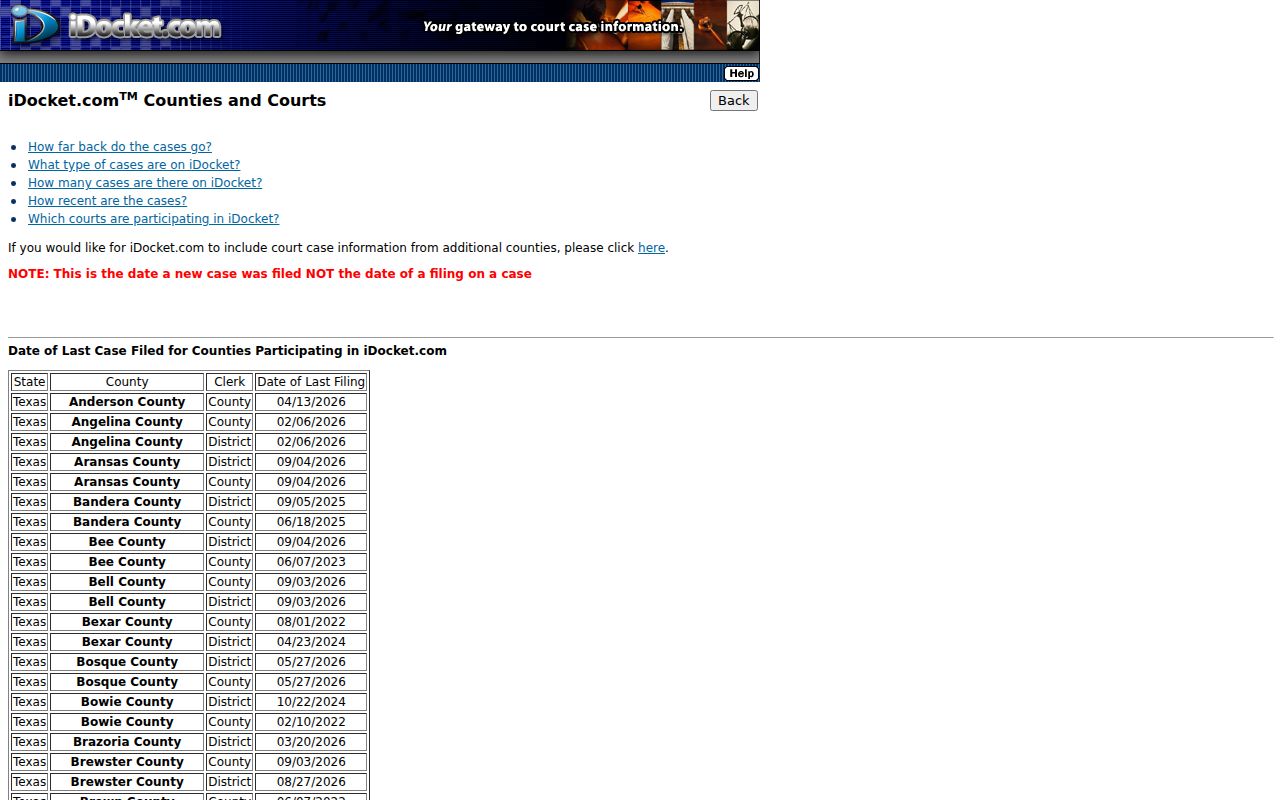
Read the date note and court columns on that index with care. When the portal cannot deliver the record you need, a clerk search is still available.
How to Search by Case Number
A case number beats a name for precision. Type it exactly as the court issued it: letters, year segments, punctuation, and leading zeros all matter. iDocket cautions that formats vary by court. Its official help page gives no Rusk-specific pattern, so trust no made-up sample in a Rusk County case lookup. If the number fails, confirm it against a filed notice first. Then work out which court it belongs to. That may be District Court, County Court at Law, a justice precinct, or a municipal court. Remember that the free iDocket route is name based. Its Display Case route sits behind a subscription. A clerk can search the number and explain the caption. Use the exact court-issued case number
The Date Field Trap
The iDocket county filing table labels its displayed date as the date a new case was filed. That is all it is. A later document in the same file can carry a different date, and the field is neither a hearing date nor a disposition date. Search the wrong range and the right case can stay hidden.
- Filing date
- The date a new case or document enters the clerk’s record, depending on the field.
- Hearing date
- The scheduled date and time of a court event.
- Disposition date
- The date an outcome or status was recorded.
- Last filing
- An index label whose exact meaning must be read from the portal note.
When dates are murky, run the name first, then compare the case caption and court. For a current hearing, use the Rusk County court dates resource.
What a Case Search Shows
A Rusk County case result names a court and points toward a file. Fields shift with the portal and your access level. Read every label literally, and never treat a result screen as a certified judgment.
| Case number | The court-assigned identifier, when shown. |
|---|---|
| Caption or style | The public name of the case, subject to redaction or restriction. |
| Court | The tribunal and likely clerk responsible for the file. |
| Filing | An indexed document or event, not always an accessible image. |
| Hearing | An upcoming or past setting where the system has coverage. |
| Disposition | A recorded outcome or status that may require clerk verification. |
An index, an image, a docket sheet, and a certified copy are different products. Ask the clerk for the one that fits your need.
re:SearchTX Beyond the County
re:SearchTX is the statewide layer above the Rusk County clerk sites. You need an eFileTexas credential or a quick registration. Four search areas open up: Cases, Filings, Text, and Hearings. The official quick guide walks through keyword searching and filters like Location and Case Category. It also covers case-detail and filing-detail views, saved searches, tracking, exports, and partial docket-number searching. So a Rusk County case lookup can start from a fragment of a case number.
Public documents run ten cents per page with a one-dollar minimum per document. Coverage depends on which courts have integrated their records. State material has also described a historical limitation for criminal case records. So the Rusk County District Clerk and local criminal PDFs still matter. A statewide miss does not cancel a local record.
The official re:SearchTX landing page shows the account boundary. That boundary stands between you and statewide docket access.
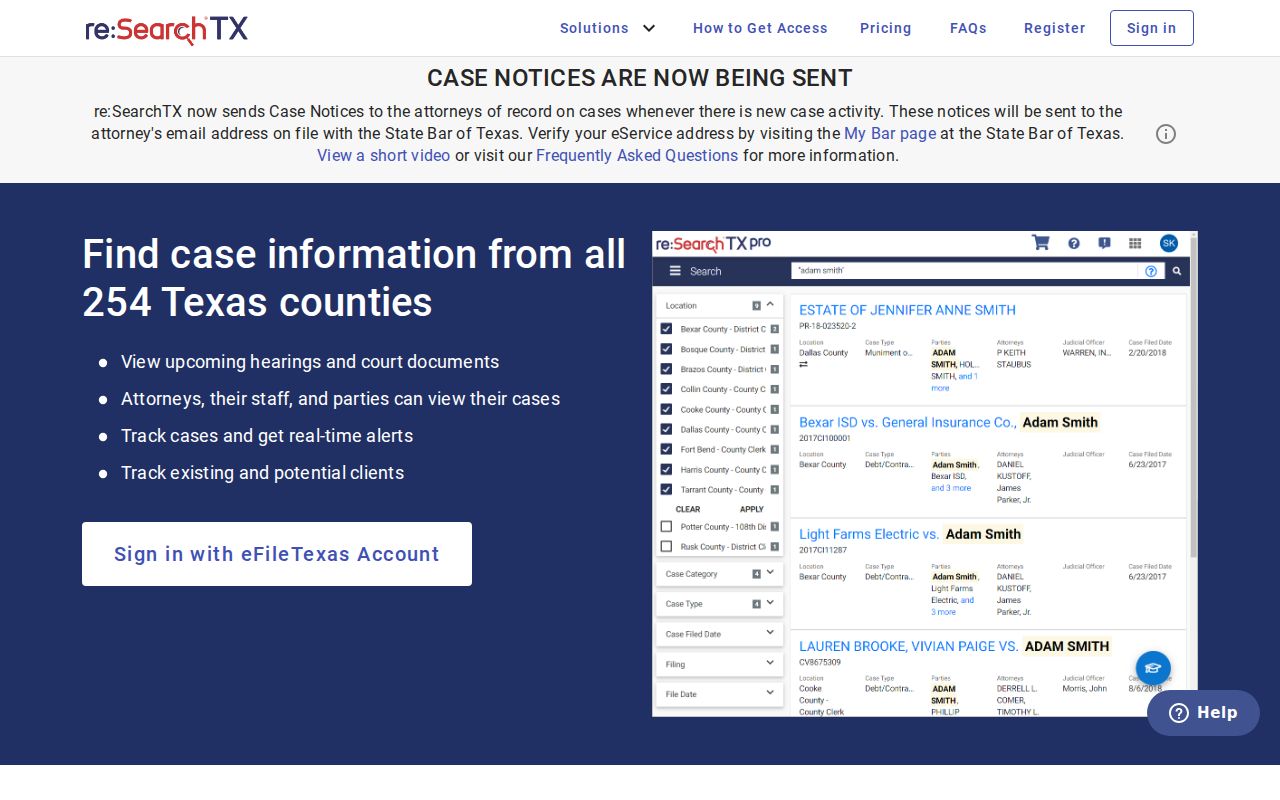
A sign-in screen is only an entry point. It does not prove every Rusk court is integrated or that each document is free.
Portal role: re:SearchTX can expose near-real-time integrated data and documents, but it does not guarantee every Rusk County case or filing.
County vs Statewide Case Search
These two systems answer related but different questions. Use them together when the court is uncertain.
| Point | iDocket | re:SearchTX |
|---|---|---|
| Scope | County-linked filing index | Integrated statewide courts |
| Entry | Free public name search | Sign-in or registration |
| Number search | Subscriber Display Case | Partial docket-number tools described |
| Documents | Index and subscriber boundary | Per-document public charge where available |
| Best verification | The clerk that maintains the original Rusk County record | |
eFileTexas is a different animal: the filing workflow for attorneys and parties, not a public case-search front door. NetData, meanwhile, is the county's back-office case-management identifier, not a public login instruction.
When No Result Appears
An empty result screen is not proof that no record exists. Start small. Check spelling, reversed first and last names, former names, and the county you selected. Then ask where the case actually sits. It might be a city court, a justice precinct, County Court at Law, constitutional County Court, or District Court. A filing-date filter may also be quietly excluding it.
- Try a fuller or alternate name spelling.
- Remove a date filter whose meaning is uncertain.
- Check the court printed on a citation or notice.
- Consider sealed, juvenile, or otherwise restricted access.
- Call the proper clerk and request a record search.
The District Clerk lists a five-dollar per-name record search. Before ordering, confirm the current fee, the payment method, the delivery cost, and the certification charge.
The Clerk Search Is Different
A clerk-performed search goes straight to the office that keeps the official court record. The clerk can resolve an uncertain case number. The clerk can tell you which court owns the file, and hand over plain or certified copies. Call first for routing. A counter visit helps when a portal is incomplete. A written mail request should name the court, the party, an approximate date range, and the record type. It should also say whether you want certification.
For judicial records, Texas Rule of Judicial Administration 12 is where access begins. A Texas Public Information Act request cannot force a court to create a record. It cannot answer legal questions, or hand you litigation discovery. Ask narrowly for an existing, non-confidential docket sheet or a filed order.
Note: A portal printout helps you locate a file. But the clerk-certified copy is the official product.
Restricted Cases and Access Rules
Not every Rusk County case is open online. Texas Rule of Civil Procedure 76a starts from the presumption that court records are public, then sets out a formal sealing process for exceptions. Rule 21c steps in for sensitive data like Social Security numbers, financial-account numbers, birth dates, home addresses, and the names of minors. Juvenile records sit under Texas Family Code section 58.005, which limits them to authorized people and entities.
Access boundaries: A visible hearing does not make every filed document public.
Texas court rules govern judicial-record access, sealing, and sensitive-data treatment.
A blank public result can reflect the wrong court, incomplete integration, redaction, or a lawful restriction.
Search with the least sensitive field you can. Never republish a Social Security number or a full birth date pulled from a court record. If someone denies you access, ask the clerk which rule, order, or custodian controls the file, and keep the written answer.