
Searching the Mount Enterprise Court Docket
Take the citation to the Mount Enterprise Municipal Court first. Go there when that city court is named on it. The court's TrafficPayment page takes your identifying details plus a citation number. From there the city clerk can confirm a setting. The clerk can walk you through a portal result and explain how to order a record copy. A ticket marked JP3 belongs to the separate county justice office instead. And remember one thing. iDocket is a Rusk District index. It cannot substitute for either of those local routes.
- Read the exact court name and citation number.
- Open the official Mount Enterprise TrafficPayment route only for a city citation.
- Enter the observed required fields and exact citation format.
- Check the status and date, then confirm any unclear entry by phone.
- Ask the Municipal Court clerk for a certified disposition when needed.
An empty portal result does not mean the case is gone. Check the court, the spelling, the number format, and whether the docket has posted yet, then call 903-822-3269.
Mount Enterprise TrafficPayment Fields
The TrafficPayment page for court ID 33 names Mount Enterprise Municipal Court and shows First Name, Last Name, and citation-number fields. The citation number needs eight digits and must start with a two-digit year. Electronic ones open with E00.... Fill in only what the live form shows. Assume nothing extra.
| Observed field | Format or use | Caution |
|---|---|---|
| First name | Person named on citation | Enter as printed |
| Last name | Person named on citation | Check spelling |
| Citation number | Two-digit year plus eight digits | Use exact code |
| E-citation | Begins E00 | Do not force into standard format |
The successful official form capture shows the known fields and correct-court warning.
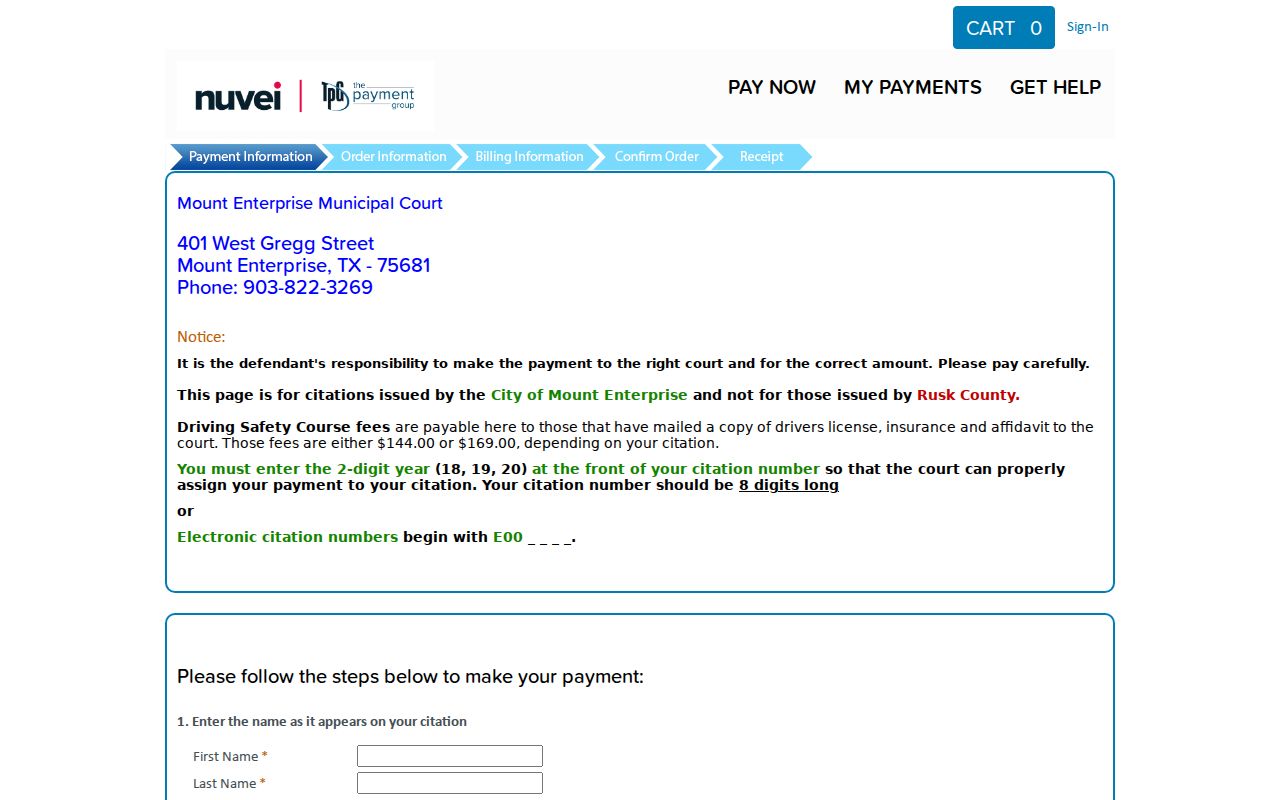
It supports a form walkthrough only, not a claim that the vendor posts a full docket sheet.
Mount Enterprise Municipal Court Basics
The official Mount Enterprise court page describes the court's mission. It calls the Municipal Court a place for fair and impartial adjudication of state laws and city ordinances. It is a city-level court.
Traffic and ordinance cases inside its jurisdiction stay on the Mount Enterprise docket. They do not land in the general Rusk County District Court index. Want the best city-level statement of purpose? The official court entry is the source to read.
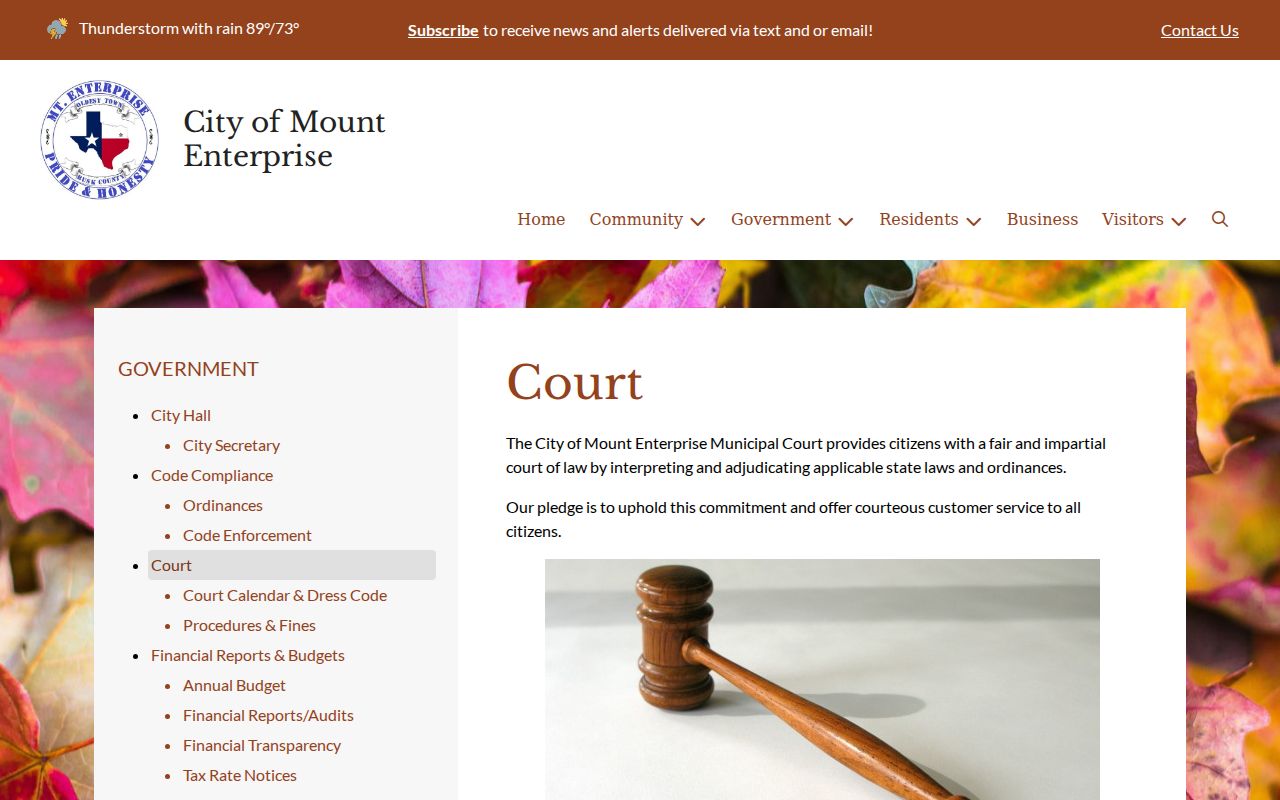
For hours, contacts, and operations, use the court page and the current phone. City budget material names Judge Carolyn Walters, court administrator Suzanne M. Phan, and clerk or office assistant Khristy Webb in public roles. A budget is not a live directory, though.
Mount Enterprise Municipal Court
401 W Gregg Street
Mount Enterprise, TX 75681
903-822-3269
Mount Enterprise Monday Court Schedule
Per the city calendar, the courthouse opens for court on the first and third Mondays. Hours run from 9 a.m. to noon. Exceptions cover listed holidays, emergencies, or disasters. That is a general operations schedule. It does not prove your citation is set on every open Monday. The citation and the current court notice control. The Mount Enterprise calendar and dress page gathers the schedule, Zoom details, and appearance rules in one spot.
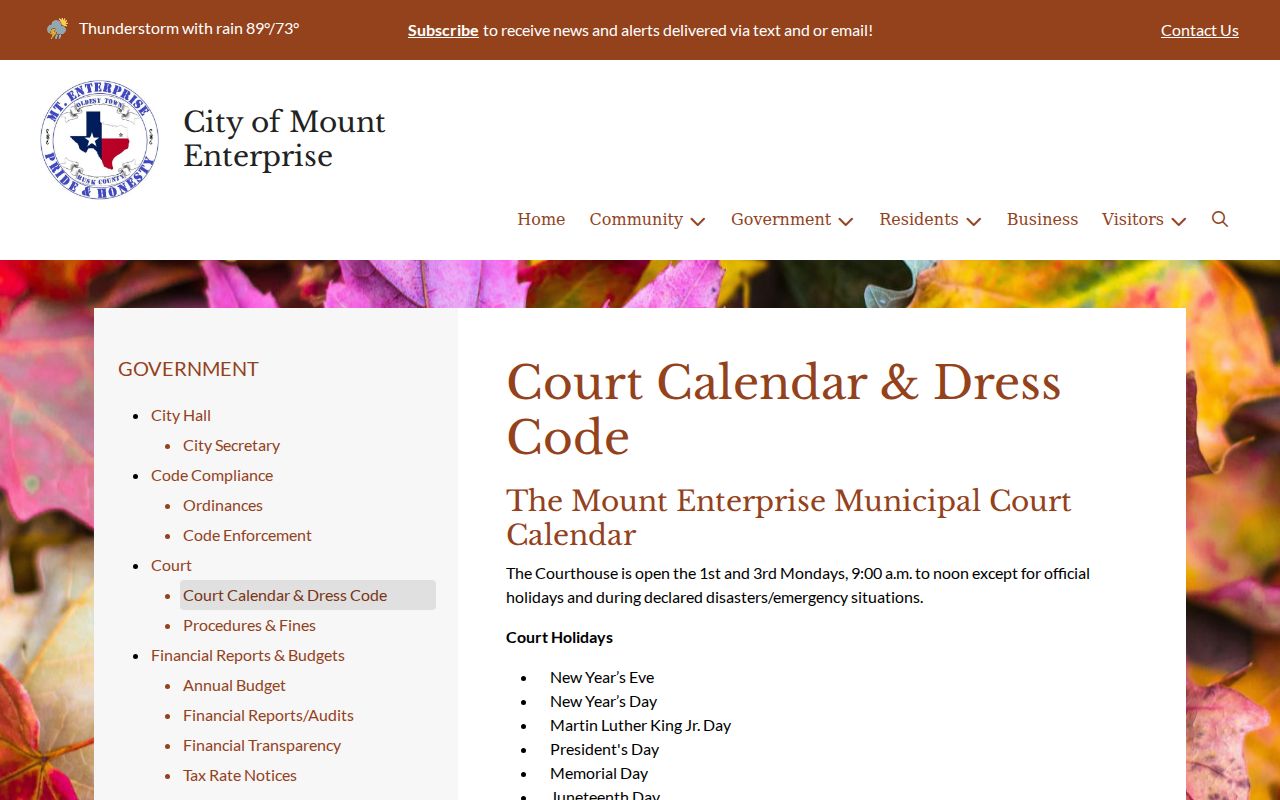
Check the live page close to your hearing, since holidays and emergency closures can change access.
Quick answer: First- and third-Monday hours are a planning aid. Confirm that the individual Mount Enterprise court setting is still active before appearing.
Court Dates and Settings in Mount Enterprise
A Mount Enterprise court date can surface in three places: the citation, a current notice, or information from the clerk. Read each field on its own terms. A payment deadline is not always a hearing time. A general courthouse opening window is not an individual setting. After a reset, confirm the new date with the Municipal Court.
| Date | The event date shown on the citation or current setting notice. |
|---|---|
| Time | The assigned appearance time within court operations. |
| Location | 401 W Gregg Street unless the current notice directs otherwise. |
| Appearance type | In person or Zoom only when the case notice authorizes it. |
| Status | The current court entry, which the clerk should verify after a reset. |
Zoom guidance from the city does not make every case remote. Keep the link or notice sent for your specific setting. When the method is unclear, call the clerk.
Mount Enterprise Zoom and Dress Rules
Remote and in-person rules are part of court logistics. Use the current court notice for Zoom and join through the authorized link only. An older link may not apply to a new date. Dress and conduct rules apply even on Zoom. In person, the city page sets its own rules. It bars shorts, hats, halter or tube tops, and flip-flops. If a hearing changes format, keep the court's message and verify the time. Nobody should pick Zoom on that basis alone. The city merely publishes remote guidance. The judge or clerk's setting instruction governs each Mount Enterprise docket event. Note: Read the live city calendar and dress instructions. Do this before any remote or courthouse appearance.
Traffic Tickets in Mount Enterprise
A city citation starts with TrafficPayment and Municipal Court contact. The vendor lists driving-safety-course amounts of $144 or $169 depending on the citation. Confirm the current amount and your eligibility with the court. A displayed sum never promises a fit. No course or other option fits every ticket. The city homepage makes a handy civic starting point too. The official Mount Enterprise site carries current city navigation.

City branding helps confirm you have reached Mount Enterprise. The citation portal's court ID and address give the sharper payment check. Paying can resolve a citation. It works only under the plea and terms the court accepts. Contesting one takes the response the court directs and leads to a setting. For countywide distinctions, see the Rusk County traffic ticket route.
Wrong-Court Alerts in Mount Enterprise
TrafficPayment shows a correct-court warning for a reason. Rusk County holds five JP precincts. It also runs five city court systems. A citation written near Mount Enterprise may belong to JP3 or another court. Stop the payment attempt when the name does not match.
- Compare the ticket's court name with “Mount Enterprise Municipal Court.”
- Check the street address and court ID shown by the vendor.
- If different, close the transaction without submitting payment.
- Call the court printed on the ticket or use the Texas judicial directory.
- Keep any receipt if a transaction was already attempted and call both offices.
Forcing a number into the wrong portal wastes time and can leave the true deadline untouched.
Where Mount Enterprise Cases Go
Which office holds the record depends on where the case sits. City tickets and ordinance matters stay with the Mount Enterprise Municipal Court docket. Justice matters from the southeast precinct belong to JP3. County and district filings go elsewhere. They belong to the proper Rusk County clerk. That rule holds even when the events happened inside Mount Enterprise.
Docket flow: Mount Enterprise Municipal Court › Rusk County Courts › District Court
Treat this as a routing aid only. A municipal citation does not automatically climb to a higher court. Most searches end at the court that opened the file. An appeal, or a separate higher-tier charge, follows Texas procedure. It moves under its own caption. Use the Rusk County court docket later. It fits once the record carries a county or district identity.
Mount Enterprise Municipal Court or JP3
Mount Enterprise is served by two court offices. The Municipal Court sits at 401 W Gregg Street, reachable at 903-822-3269. Rusk County JP3 sits at 306 NW 2nd Street, at 903-822-3737. JP3 opens Monday through Thursday. Hours run 6:30 a.m. to 4:30 p.m. Its page posts pleas, tickets, youth diversion, eviction, and small-claim forms.
| Question | Municipal Court | JP3 |
|---|---|---|
| Who keeps it? | Mount Enterprise city clerk | Rusk County JP3 clerk |
| Typical local clue | City traffic or ordinance citation | JP3 traffic or justice matter |
| Online path | TrafficPayment court ID 33 | Official Rusk JP3 page and ticket links |
| Certified record | Ask Municipal Court | Ask JP3 clerk |
Local county rules leave each precinct's docket to that justice-court clerk. So Municipal Court and JP3 cannot certify each other's records.
Mount Enterprise Court Activity Context
Numbers come from the Office of Court Administration city report dated January 16, 2026. It lists a 2024 population of 512 for Mount Enterprise. For the reporting period, the city row shows 813 active pending on September 1, 2024; 865 reactivated; 566 added; 1,457 disposed; 95 placed inactive; and 607 active pending on August 31, 2025.
Read these as case-flow counts, nothing more. They are not unique people or traffic convictions. Keep every reactivated and disposed figure tied to its own heading and period. Because reactivated and disposed totals track closely, a bare number can mislead. No statistical row settles an outcome. It cannot settle the outcome of any individual Mount Enterprise case.
Mount Enterprise Court Record Access Rules
Start with the Mount Enterprise Municipal Court clerk. Ask for a docket entry, a disposition, or a certified copy of anything non-confidential. TrafficPayment can open a citation account. But it is not a full chronological record. State judicial-record rules can trim what shows up online. Sealing orders and sensitive-data limits can trim it too.
Texas Rule of Judicial Administration 12 generally permits inspection and copying of judicial records during regular business hours. That right is subject to exclusions and other law. Sensitive data falls under Texas Rules 21c and 76a. Sealing has its own procedure. Juvenile material carries separate confidentiality limits.
Public access: A visible Mount Enterprise court setting does not make every filed document public. Request the exact record from the city clerk and ask which rule applies if material is withheld.
Want an official result? Request a certified disposition, not a payment receipt. Name the citation, the date, the record type, and how you want it delivered. Call for the current fee first.
Reading Mount Enterprise Activity Terms
The report dates set the inventory window. Active pending is a snapshot count at the start or end point. A reactivated matter returned to active status; it is not a new citation. Added means brought into the count. Disposed and placed inactive are two different administrative categories.
No label in that row reveals any named person's result. The figures measure the scale and movement of Mount Enterprise Municipal Court work. Want one case? Use the city docket and the clerk rather than inferring anything from the statistics.