
Searching Rusk County Civil Dockets
Start with the caption and the exact product you need. The Rusk County District Clerk keeps 4th Judicial District Court civil and family dockets. It also links to iDocket. That link opens a free public name search covering the District filing index. Want case-number display or advanced filters? Those take a subscription, per the help page. Signed in, re:SearchTX offers a statewide search that integrates Rusk filings. County Court at Law works differently. Use that court's daily calendar, or go through the coordinator or the county clerk. A posted civil PDF can show a setting. But the clerk holds the pleadings and orders underneath it.
- Identify the court caption and civil case type.
- Search iDocket by name for a District index entry, or check the proper local calendar.
- Compare the filing date, setting, and court before choosing a result.
- Use re:SearchTX as a second statewide layer where integration exists.
- Contact the clerk in person, by phone, or in writing for the requested copy or certification.
Rusk Fourth District Civil PDFs
Civil filings in Henderson are set by the 4th Judicial District Court, and the 4th Judicial District Court page collects its forms, local rules, and setting notices in one spot. The civil docket PDF carries the Fourth District caption. It may list the presiding judge, hearing entries, holiday closures, and links to procedural instructions. Treat it as a calendar tool rather than a full electronic case file.
For anyone tracking a Rusk County court docket, that official District Court page shows how the court actually presents its civil docket material. See the Fourth District's own page.
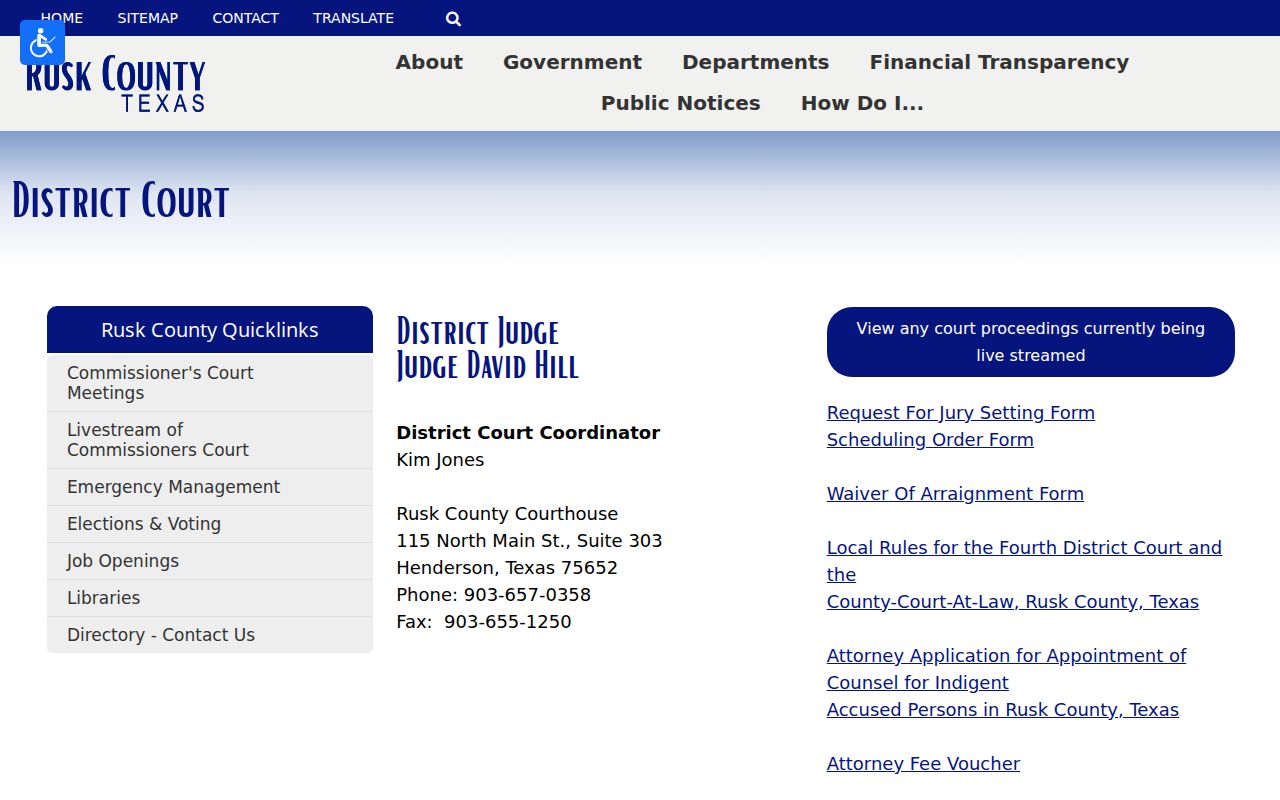
The court page points to the right forms and current instructions. For docket sheets, filed pleadings, and certified orders, the District Clerk remains the office of record.
Inside a Rusk County Civil Docket
A civil docket records the procedural history of a dispute. You may see the caption, the assigned court, filed motions, service entries, and hearing settings. Orders and the closing disposition appear too. A setting PDF holds just a slice of that history. Discovery, exhibits, and some filed documents can be missing or restricted.
| Caption | The parties and court shown on the case, subject to redaction and access rules. |
|---|---|
| Filing date | The date a case or document reached the clerk; it is not a hearing date. |
| Setting | A planned hearing, trial, or conference that can later be reset. |
| Motion or order | A request to the court or the court’s signed direction. |
| Disposition | The status or outcome, which should be confirmed from the final filed order. |
On iDocket, the county last-filing date marks when a new case was filed, not every later filing in an existing one. Read the label before you build a timeline from it.
Rusk iDocket Versus Calendar
The two public products answer different questions. iDocket helps you find a District case by name and view an index of documents filed. A civil docket PDF tells you which matters the court placed on a given calendar. Neither one is a clerk-certified record.
| Product | Best use | Limit |
|---|---|---|
| iDocket name search | Locate a District index entry | Advanced tools and case-number display may require subscription |
| Civil docket PDF | Read a scheduled setting and court notice | Does not contain the full file |
| re:SearchTX | Search integrated statewide cases, filings, and hearings | Login and coverage caveats apply |
| Clerk request | Obtain copies or certification | Search, copy, and certification fees may apply |
If one source comes up blank, check the court, the spelling, the date range, and the other clerk. A blank portal result proves nothing about a protected or differently maintained matter.
Civil Case Types on the Docket
Civil work in Rusk County splits across several courts. The District Court takes general civil and family matters. County Court at Law shares that workload, and its route depends on the caption. Justice courts hear civil claims up to $20,000, plus evictions, small claims, and debt claims within their legal and geographic limits. Probate and mental-health cases flagged for the constitutional County Court route through the County Clerk.
One search cannot merge these offices. A District family filing belongs to the District Clerk. A JP eviction stays in its named precinct. A County Court at Law hearing follows that court's own calendar and coordinator. That means a case lookup has to start in the right place. Probate digging starts with the County Clerk, which posts no countywide public probate docket form.
Note: The court named at the top of a pleading or notice tells you more than the city where the parties live.
Rusk County Wednesday Settings
The County Court at Law page says its daily calendar is updated every day. Its setting instructions tell counsel to check the live calendar and coordinate with all sides. Then pick an available date and time. Submit the right order. Under that page's general instructions, a visible setting needs no separate confirmation before submission. Case-specific orders still control. Family temporary-order material describes a Wednesday setting after seven days from service of citation. It asks counsel to email the coordinator once service is complete. That is local workflow language, not a general deadline opinion. Verify the live page, the service date, and the signed order. If your preferred date is full, recheck the current calendar. Coordinate another time. Use the proper court form instead of simply assuming availability.
Civil Docket Settings and Hearings
A civil setting is an event, not a judgment. It might involve a motion, a temporary order, a trial, or another issue. Later docket entries can show a reset, a continuance, a cancellation, or a signed order. Remote-hearing packets appear on the county page. They do not prove that any particular Rusk County civil hearing is remote.
- Setting
- A date and time assigned to a court event.
- Reset
- A move from one setting to another; verify the new date.
- Local rule
- A court-specific instruction that may govern scheduling, forms, or trial practice.
- Daily calendar
- The current list of planned events, which can change.
Check the caption, judge, date, time, and any linked order. When a date looks wrong, contact the coordinator or clerk before you file another order or show up.
Rusk Civil Docket Paper Trail
A typical setting leaves more than one record. Service may lead to coordination, a proposed order, placement on the docket, the hearing itself, and a later signed order. Each event answers a different question.
Setting flow: Service › Coordination › Setting Order › Calendar Entry › Hearing › Filed Order
A docket line only tells part of the story. It will not show you the pleadings, the exhibits, or how the judge finally ruled. For the whole public file in a Rusk County civil case, send the clerk a request. Name the case and the date range. The District Clerk charges $5 per name for a search. Copies and certifications cost extra, so confirm the current fee link before sending payment. Unsure which case you need? The Rusk County case lookup can pin down the right case number first.
Civil Docket Access Rules
Texas law treats court records as open by default. Texas Rule of Judicial Administration 12 sets the standard for public access to judicial records. Under Texas Rule of Civil Procedure 76a, a Rusk County civil docket file stays open unless a judge seals it. Sealing demands a motion, notice, findings, and a balancing of interests. Rule 21c adds its own limits for sensitive details. Think Social Security numbers, financial account data, birth dates, home addresses, and the names of minors.
A public Rusk County civil setting does not make every attachment public. Ask the clerk whether an item is sealed, redacted, available only at the counter, or subject to another access rule.
Rusk County's Public Information Act guidance draws a line between judicial records and ordinary administrative ones. It pushes litigation requests toward discovery instead. A well-written request makes everything easier. Name the court, the case, the date range, and the docket sheet or order you want, with confidential material left out. If mail works for the clerk, ask up front about return postage, copy fees, and accepted payment.
Rusk Civil Access Channels
Searching online is just one route to a Rusk County civil docket. iDocket offers a public District name index. A posted PDF can confirm a scheduled setting. re:SearchTX pulls together integrated statewide information. When you cannot tell which office holds the record, call or visit that clerk directly. A written or mailed request suits a defined docket sheet, a filed order, or a historical search best. The clerk's counter can also tell you whether a public terminal exists. The same counter can point you to the copy product that fits your needs.
Only the clerk can certify a document. An image pulled from an official portal is still uncertified, no matter how official the source looks. Decide whether you need a plain paper copy, an electronic copy, a certified document, or an exemplified copy. Then get a current cost. Save the source URL, the retrieval date, and the clerk's response along with your result.
Note: Family and juvenile cases need extra care. A public calendar can sit beside strict limits on names and the documents underneath them.